Granting Admin Access to Facebook Business Manager
Note: Use your Facebook account login details to login.
Accounts to add:
Method 1
4. Add the email address that you want to add and click next.
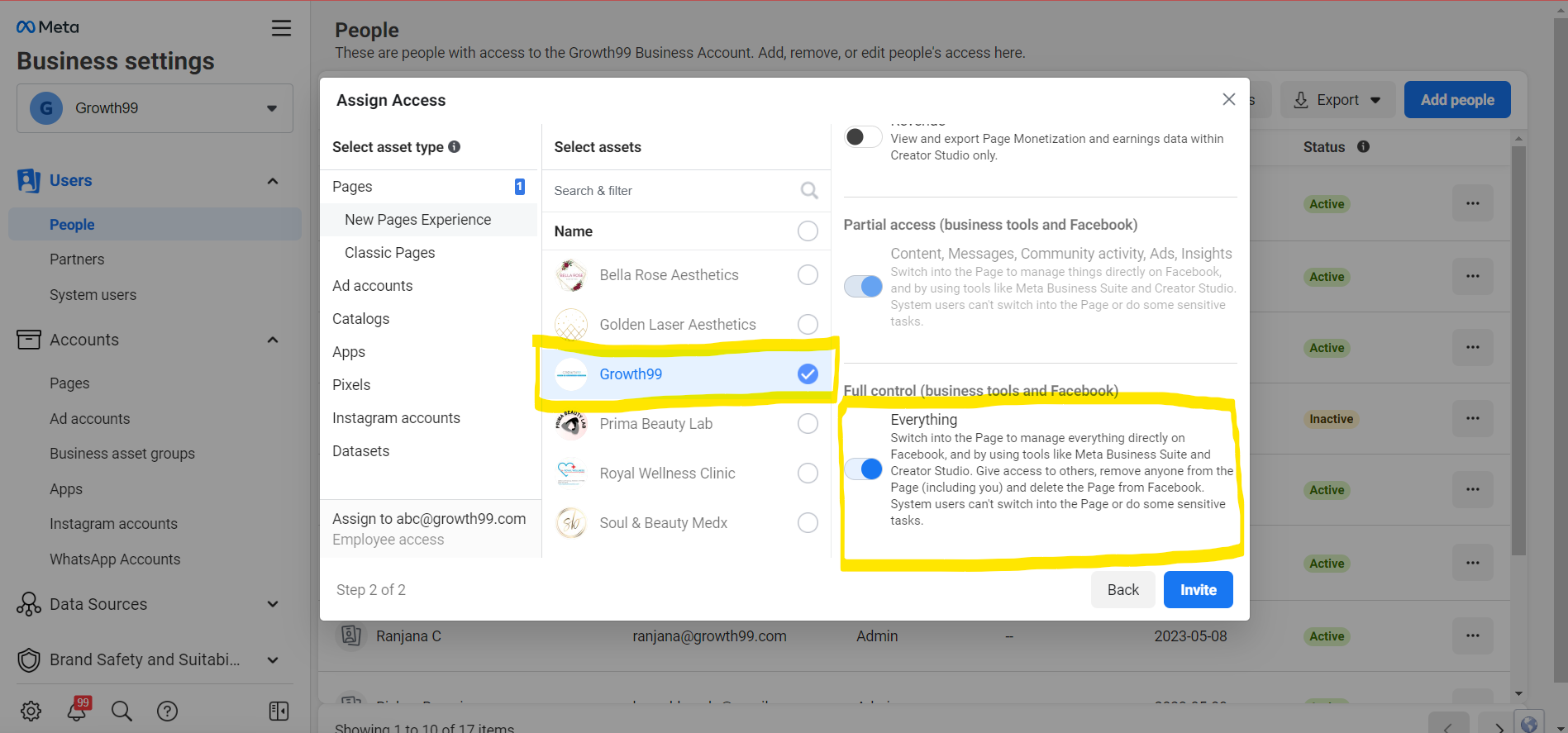
5. You will see the option Everything under “Full Control” Click on “Manage” and click next.
6. Select the page that you want to give access.
7. Review Invitation and click on “Send Request” and Done.
Method 2
1.Go to https://business.facebook.com/
2. Click on All tools and Click on Ad manager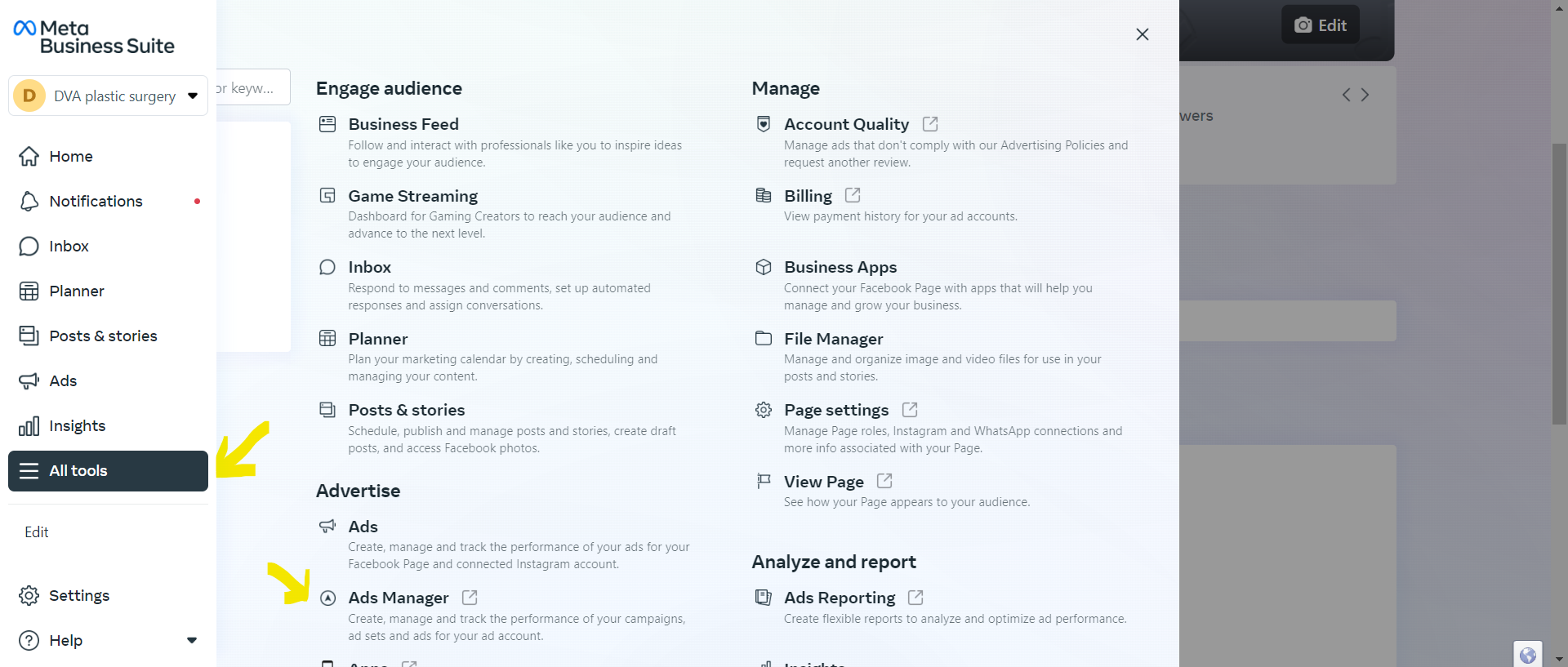
4. Click on Add people which is on the upper right corner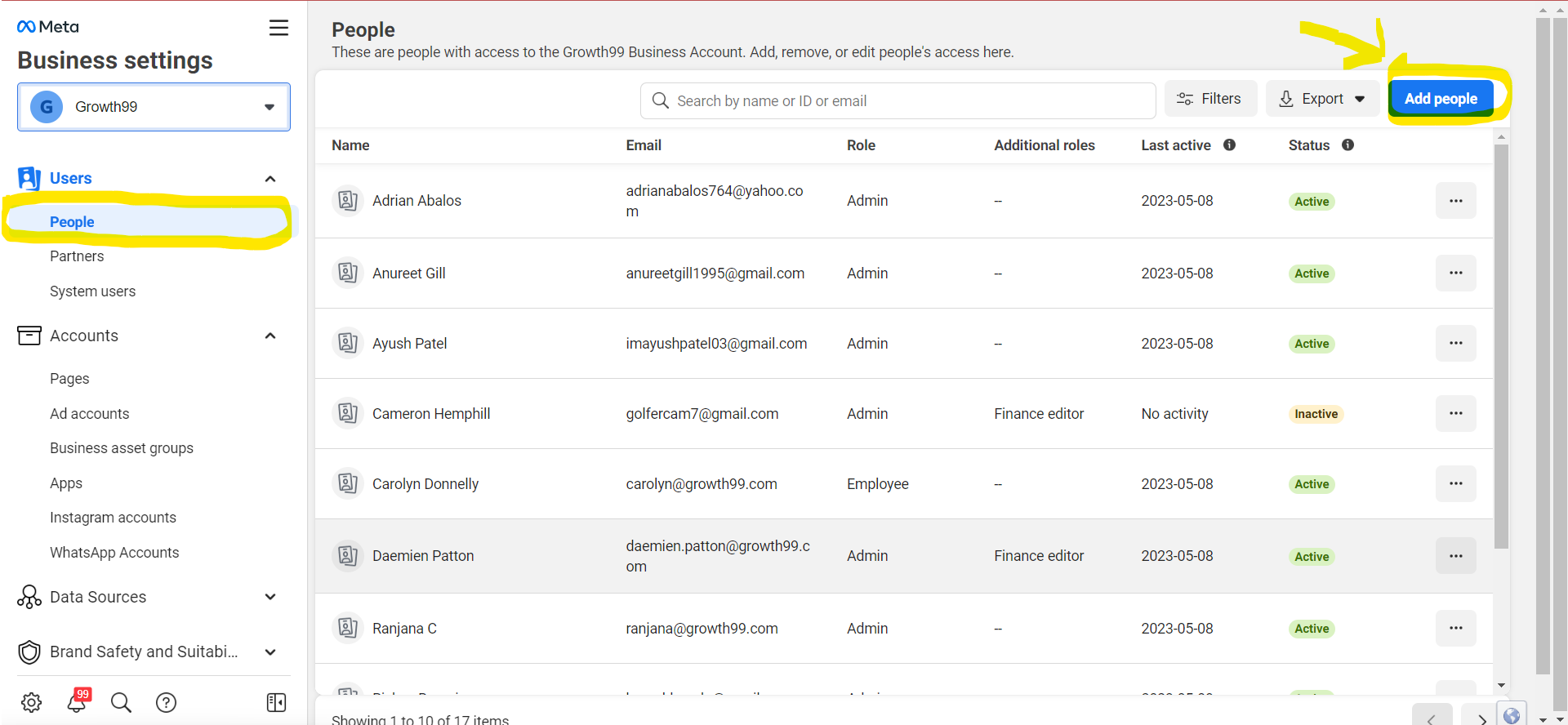
5. Add the emails you want to give access. On the toggle button with Admin access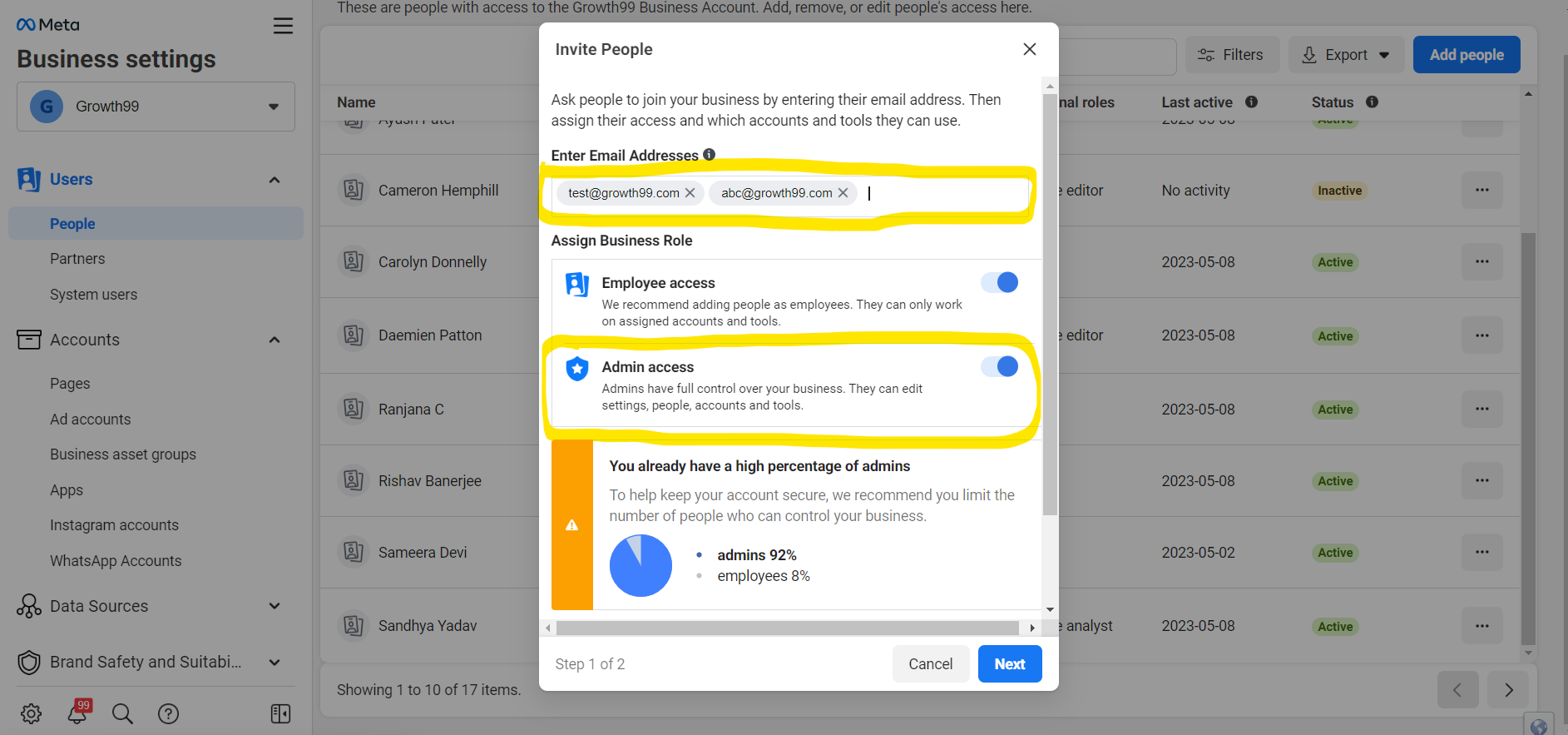
6. Select the Page you want to give access and On the toggle button with Everything then Click On Invite.